

Step 1: Set up your webhook endpoint
Create an HTTP endpoint that can receive POST or PUT requests with JSON payloads. Your endpoint should:- Accept
application/jsoncontent type - Return a 2xx status code on success
- Be publicly accessible from the internet
Step 2: Enable Broadcast in OpenRouter
Go to Settings > Observability and toggle Enable Broadcast.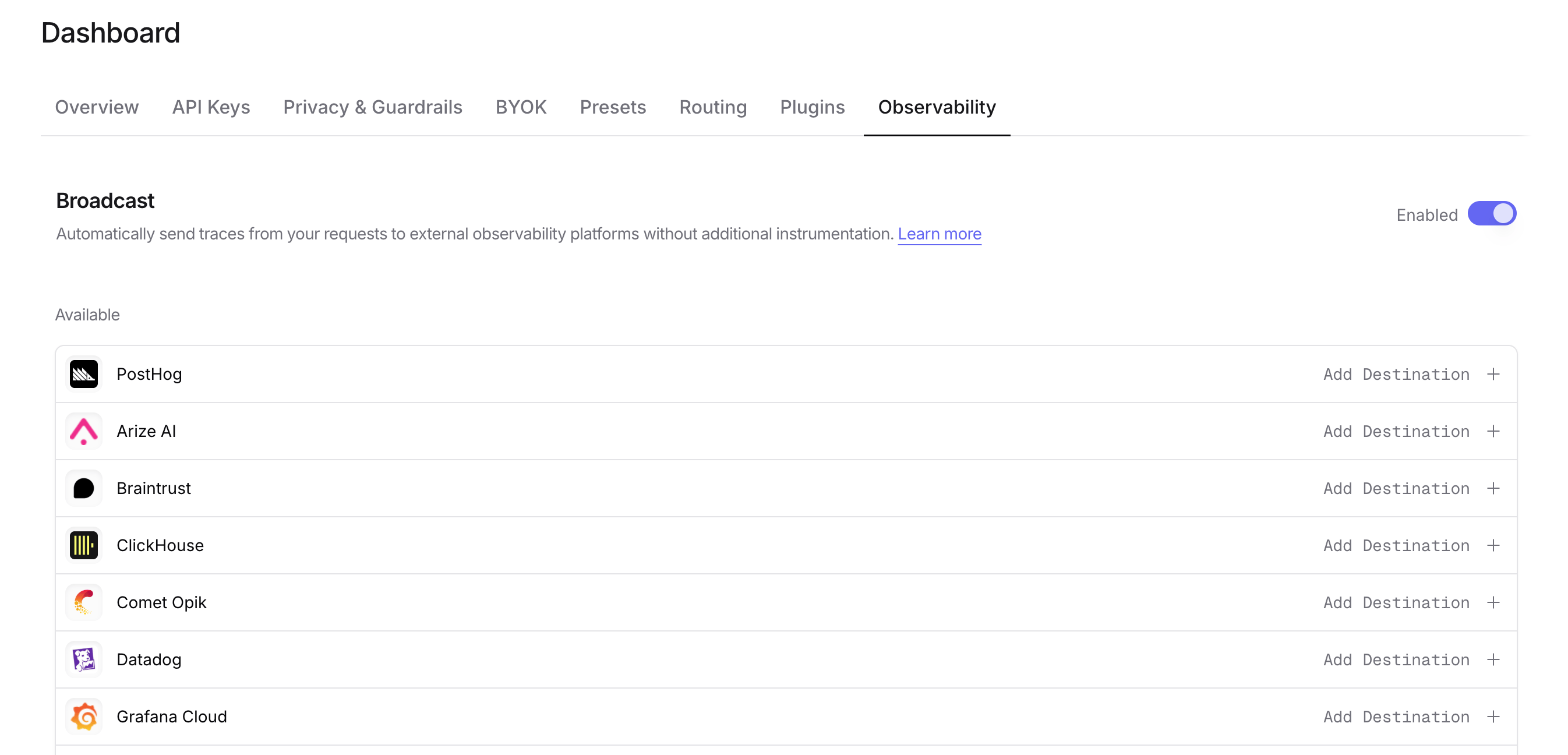
Step 3: Configure Webhook
Click the edit icon next to Webhook and enter:- URL: Your webhook endpoint URL (e.g.,
https://api.example.com/traces) - Method (optional): HTTP method to use, either
POST(default) orPUT - Headers (optional): Custom HTTP headers as a JSON object for authentication or other purposes
Step 4: Test and save
Click Test Connection to verify the setup. The configuration only saves if the test passes. During the test, OpenRouter sends an empty OTLP payload with anX-Test-Connection: true header to your endpoint.
Step 5: Send a test trace
Make an API request through OpenRouter and verify that your webhook endpoint receives the trace data.mTLS client certificate
If your endpoint requires mutual TLS (mTLS), OpenRouter can present a client certificate when it sends traces to it.mTLS client certificates are available on request. Contact your OpenRouter account team to enable them for your organization. Until then, the Webhook editor does not show the mTLS section.
.pem file:
- Client certificate: the certificate OpenRouter presents, optionally followed by its intermediate certificates.
- Private key: the certificate’s private key, unencrypted, in PKCS#8 (
BEGIN PRIVATE KEY), PKCS#1 RSA (BEGIN RSA PRIVATE KEY) or SEC1 EC (BEGIN EC PRIVATE KEY) format. - Server CA certificates (optional): CA certificates to trust for your endpoint’s server certificate, for example when it is signed by a private CA. They are added to the public root certificates, not used instead of them.
openssl pkcs12 -nodes, you can paste each block as exported: the Bag Attributes and subject= lines around it are ignored. Paste the certificate blocks into Client certificate and the key block into Private key.
After you save, the certificate and key are stored encrypted and never shown again. The editor shows when the certificate expires, warns once it is within 30 days of expiry, and offers Replace and Remove. Remove deletes the certificate, private key and server CA certificates together.
How mTLS changes delivery
- The endpoint URL must use
https://. - Redirects to a different origin are not followed while a client certificate is set.
- Traces to this destination are sent from OpenRouter’s queue workers in each data region (Global, US and EU) instead of inline, with a single delivery attempt.
- Queued messages are limited to 5 MB, so a very large trace payload can be truncated or dropped.
- Test Connection and Send Trace cannot present the certificate from the dashboard. Instead of contacting your endpoint, they check that the certificate and key are valid PEM, belong together and have not expired. The TLS handshake with your endpoint is first tested by a real delivery, so make a request through OpenRouter and confirm that your endpoint receives the trace.
- Replace the certificate before it expires: deliveries fail once it has expired.
- If mTLS access is removed from your organization, the saved certificate stays in place but the destination cannot be turned on or kept on. Remove the certificate or turn the destination off before saving other changes to it.
Payload format
Traces are sent in OTLP JSON format. Each request contains aresourceSpans array with span data including:
- Trace and span IDs
- Timestamps and duration
- Model and provider information
- Token usage and cost
- Request and response content (with multimodal content stripped)
Use cases
The Webhook destination is ideal for:- Custom analytics pipelines: Send traces to your own data warehouse or analytics system
- Internal monitoring tools: Integrate with proprietary observability platforms
- Event-driven architectures: Trigger workflows based on LLM usage
- Compliance logging: Store traces in systems that meet specific regulatory requirements
- Development and testing: Use services like webhook.site to inspect trace payloads
Custom Metadata
Custom metadata from thetrace field is included as span attributes in the OTLP JSON payload sent to your webhook endpoint.
Supported Metadata Keys
Example
Accessing Metadata in Your Webhook
Custom metadata keys appear as span attributes in the OTLP payload under thetrace.metadata.* namespace:
Additional Context
- The
userfield maps touser.idin span attributes - The
session_idfield maps tosession.idin span attributes - All standard GenAI semantic conventions (
gen_ai.*) are included for model, token, and cost data